Skip to content
TagFix

Site diary

The site diary app for your daily reports

Write the daily report where the work happens. TagFix is your daily log on the phone: it fills in the weather, copies yesterday’s workforce and turns every day into a PDF report.

  • For iPhone and iPadApp StoreComing soon
  • For AndroidGoogle PlayComing soon
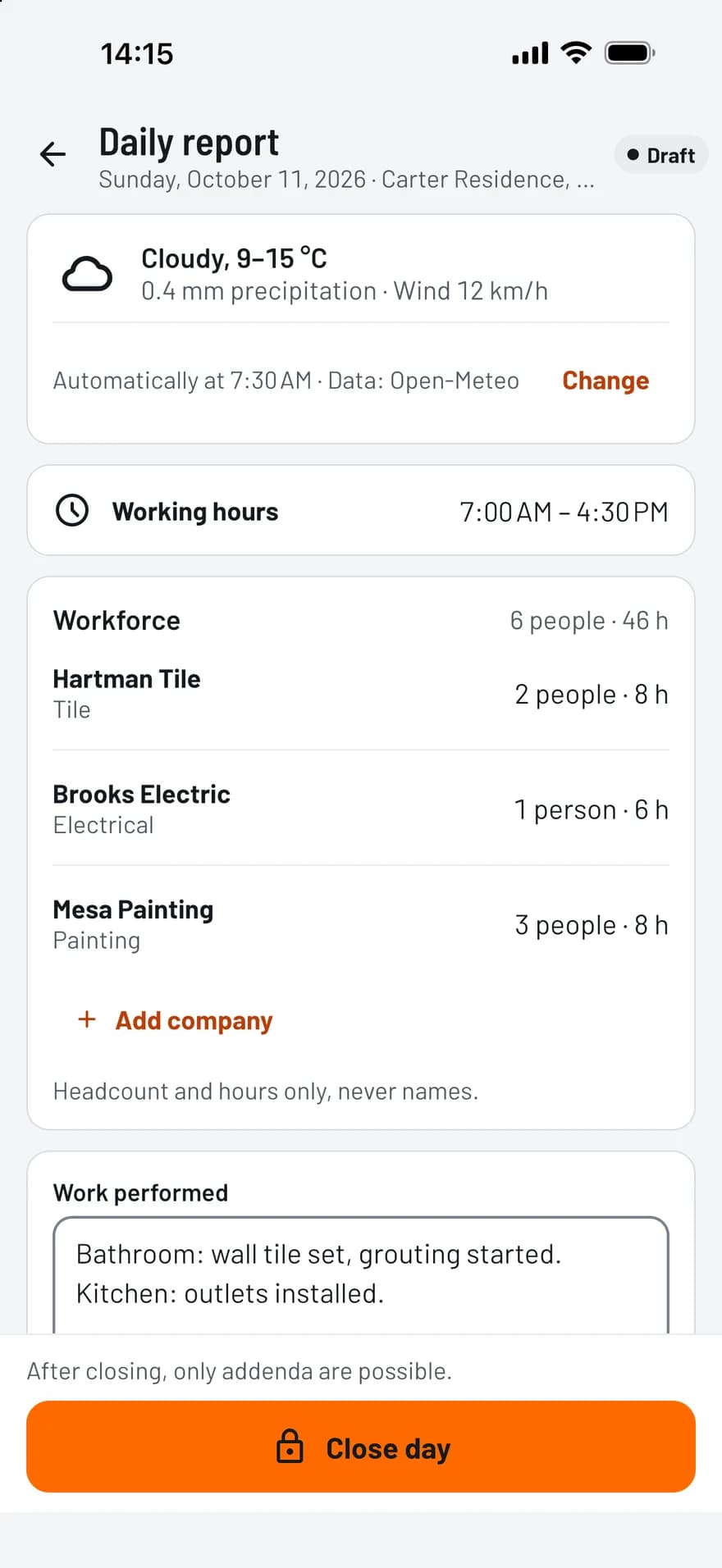
TagFix daily report with weather, working hours and workforce per company

Less typing, complete reports

  • Weather filled in automatically

    With your consent, TagFix looks up condition, temperature, precipitation and wind for the site. Every value stays editable.

  • Workforce per company

    Record headcount and hours per company, without personal names. One tap copies workforce and equipment from the previous day.

  • Close the day

    A closed day is locked. Later additions are saved as addenda with their own time, and a late entry is marked as one.

  • Photos in the report

    Add the photos of the day and mark them up. In the PDF they appear with their capture time.

What a daily report contains

Each project has one entry per day with these fields:

  • Working hours and weather
  • Workforce per company and equipment
  • Work performed and deliveries
  • Hindrances and instructions received
  • Visitors, inspections and incidents
  • Photos and notes
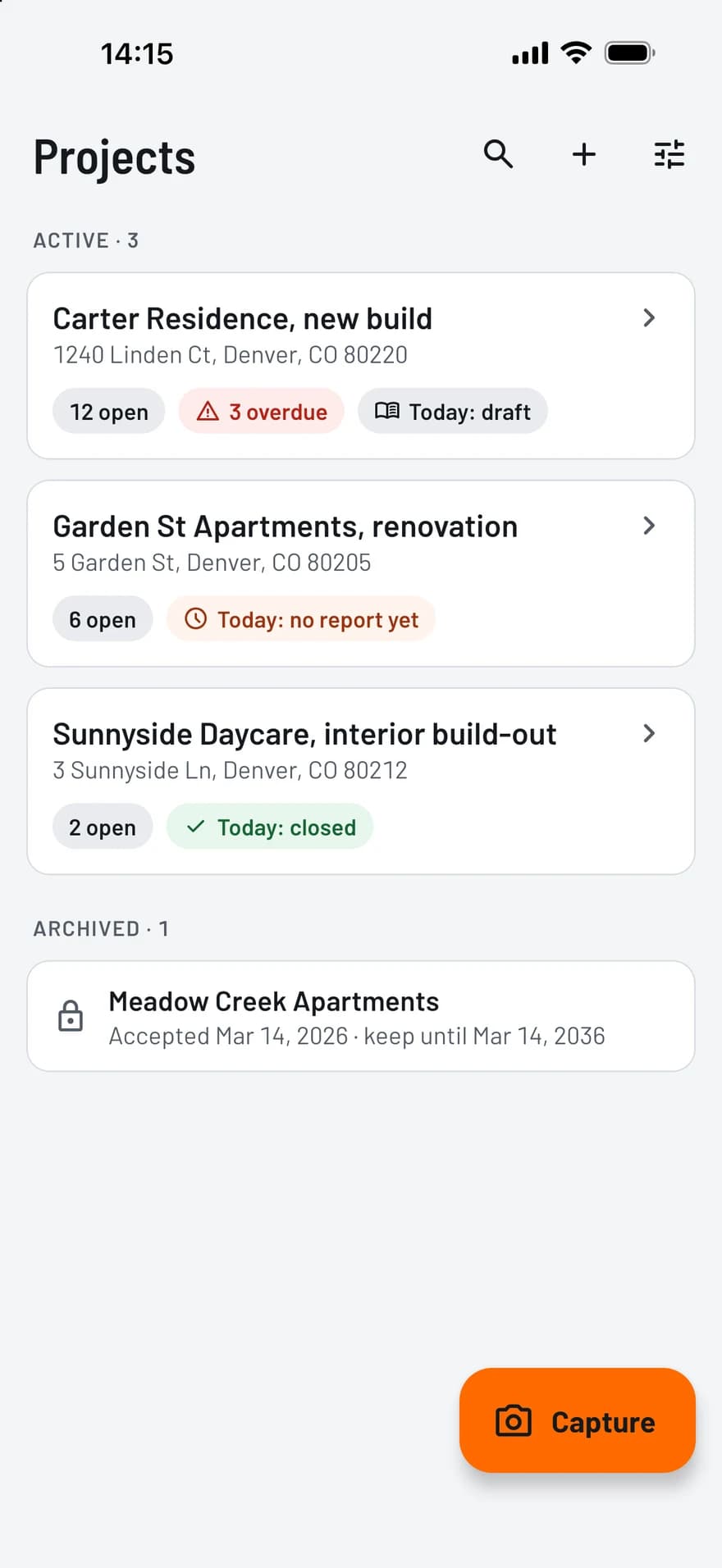
TagFix project list showing for each site the open defects and whether today’s report is a draft or closed

How it works

  1. Open today

    Today’s entry opens with the weather filled in, and yesterday’s workforce is one tap away.

  2. Add what happened

    Enter work done, deliveries and hindrances, and add photos. Everything is saved as you type.

  3. Close and share

    Close the day, sign it if you like, and share the PDF for one day or a date range.

PDF reports, ready to share

A few taps turn your records into a clean PDF, with your photos and your plan.

  • Punch list report: all items, per company, only open or only overdue
  • Site diary: a single day or a date range, with or without photos
  • Handover protocol with the signatures and the defects as an appendix
  • Creating and sharing reports is free in every plan
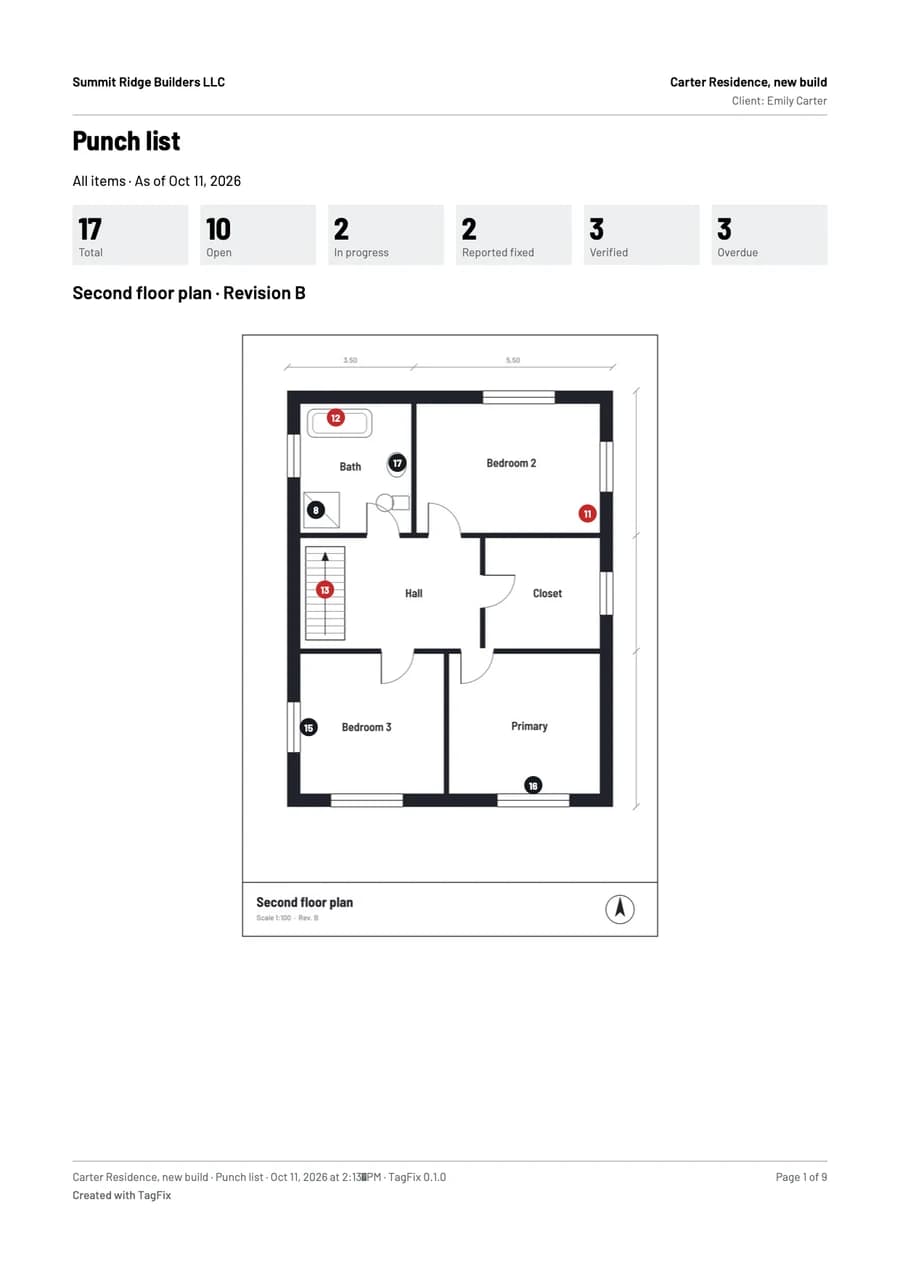
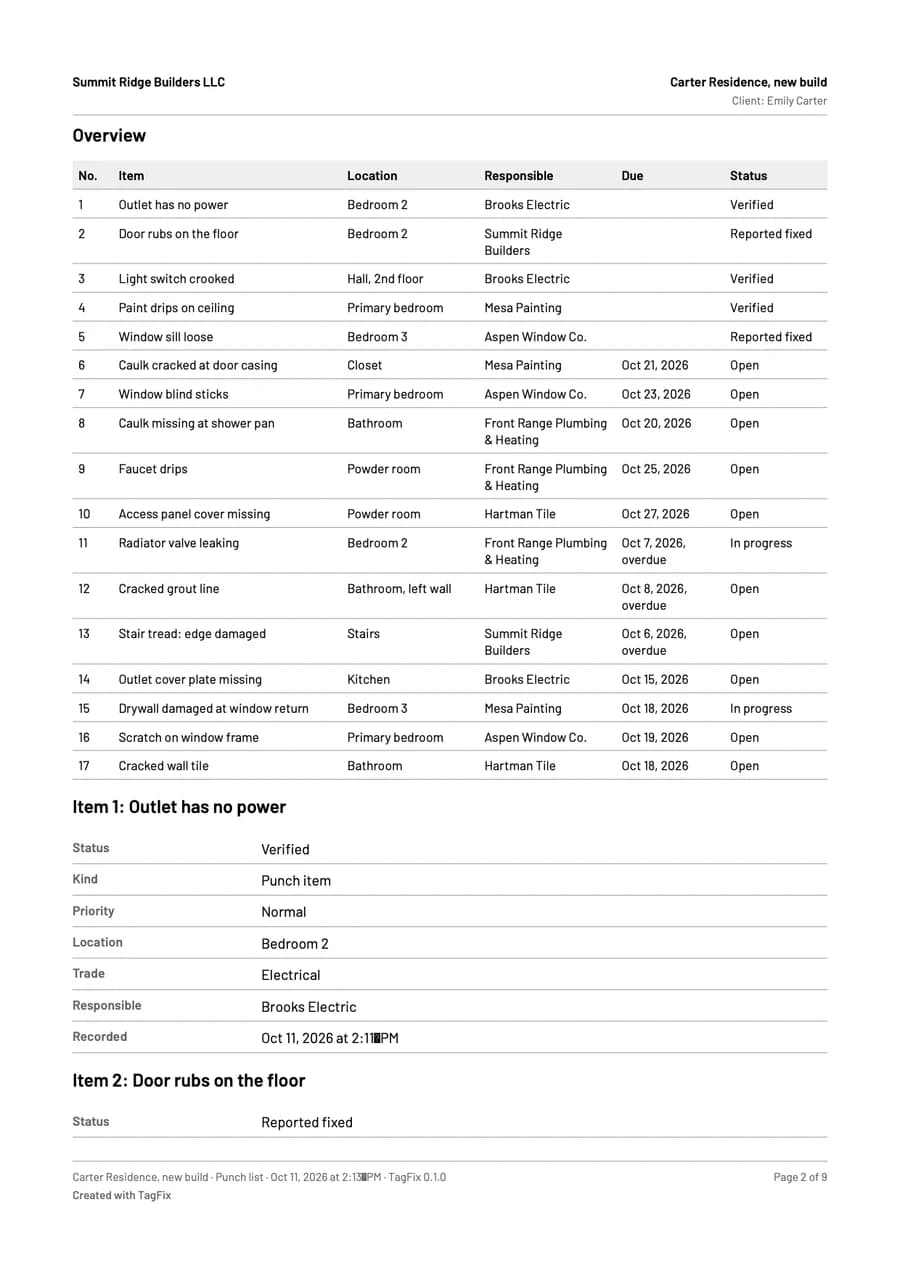
First page of a punch list report from TagFix, with the counts per status and a floor plan with pinsSecond page of the report: a table of all punch items with location, company, due date and status

Frequently asked questions

Can I edit a daily report after closing it?

No. A closed day is read-only. You can add addenda with text, photos and a reason, and each gets its own timestamp.

Where does the weather come from?

From Open-Meteo, and for sites in Germany also from Bright Sky with data of the Deutscher Wetterdienst. The app sends only the date and the rough position of the site, and only after you agree. Offline, you enter the weather by hand.

Is the site diary free?

Yes, for one project with up to 10 diary entries, including the PDF export. The Project Pass or Pro removes the limit.

Try TagFix on your next site visit

Free to start, without an account.