Photos that are worth something later
Capture first, sort later
The capture button is on every screen. After the photo you choose where it belongs: a new defect, today’s diary or the project.
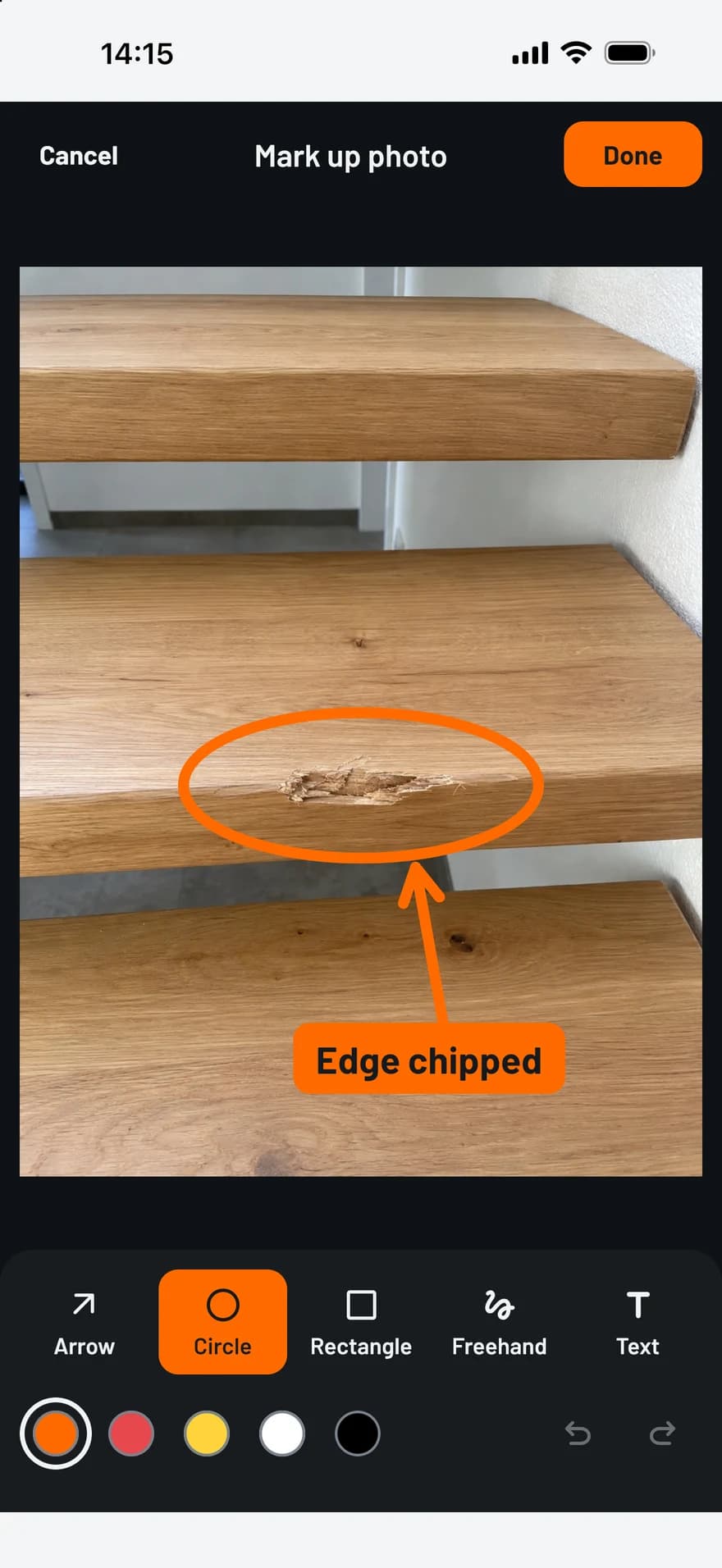
Mark up on the phone
Arrow, circle, rectangle, freehand and text in five colors. The original photo stays untouched.
Separate from your gallery
Site photos stay inside the app and do not mix with your private pictures. From the gallery you import up to 20 photos at once.
No location in the file
The app removes GPS data from every photo. Reports print the capture time instead.
Everything about a site in one project
A project holds what belongs together, and the search finds it again across all projects.
- Photos with capture time and markup
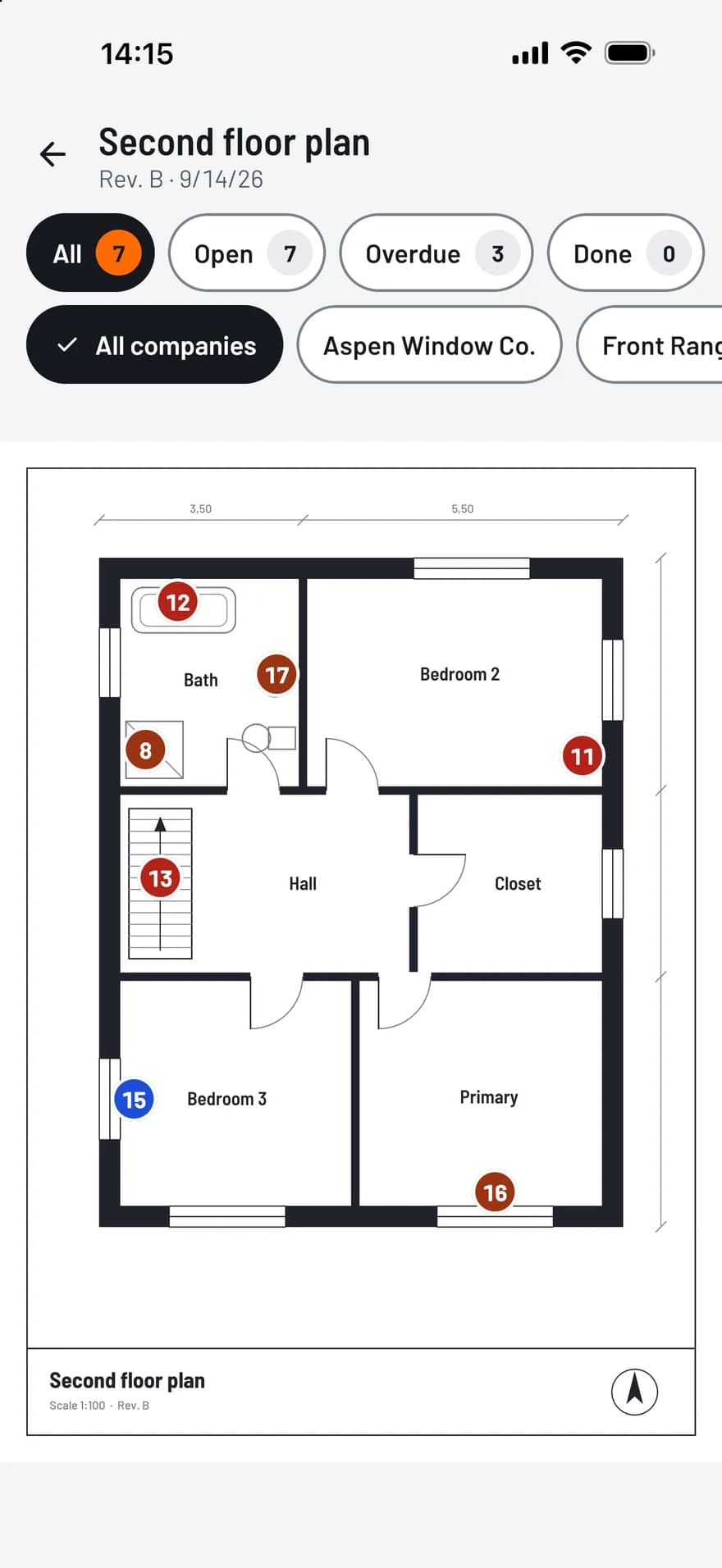
- Plans as a PDF or an image, with pins
- Companies with trade, role and contact
- Defects, daily reports and handover protocols
- Every PDF report you created
- A backup as a ZIP file, readable without the app

How it works
Photograph
Take the photo with the capture button or import it from the gallery.
Mark and assign
Mark what matters and assign the photo to a defect, a day or the project.
Report
Create the PDF in the size for email or for print, and share it.
PDF reports, ready to share
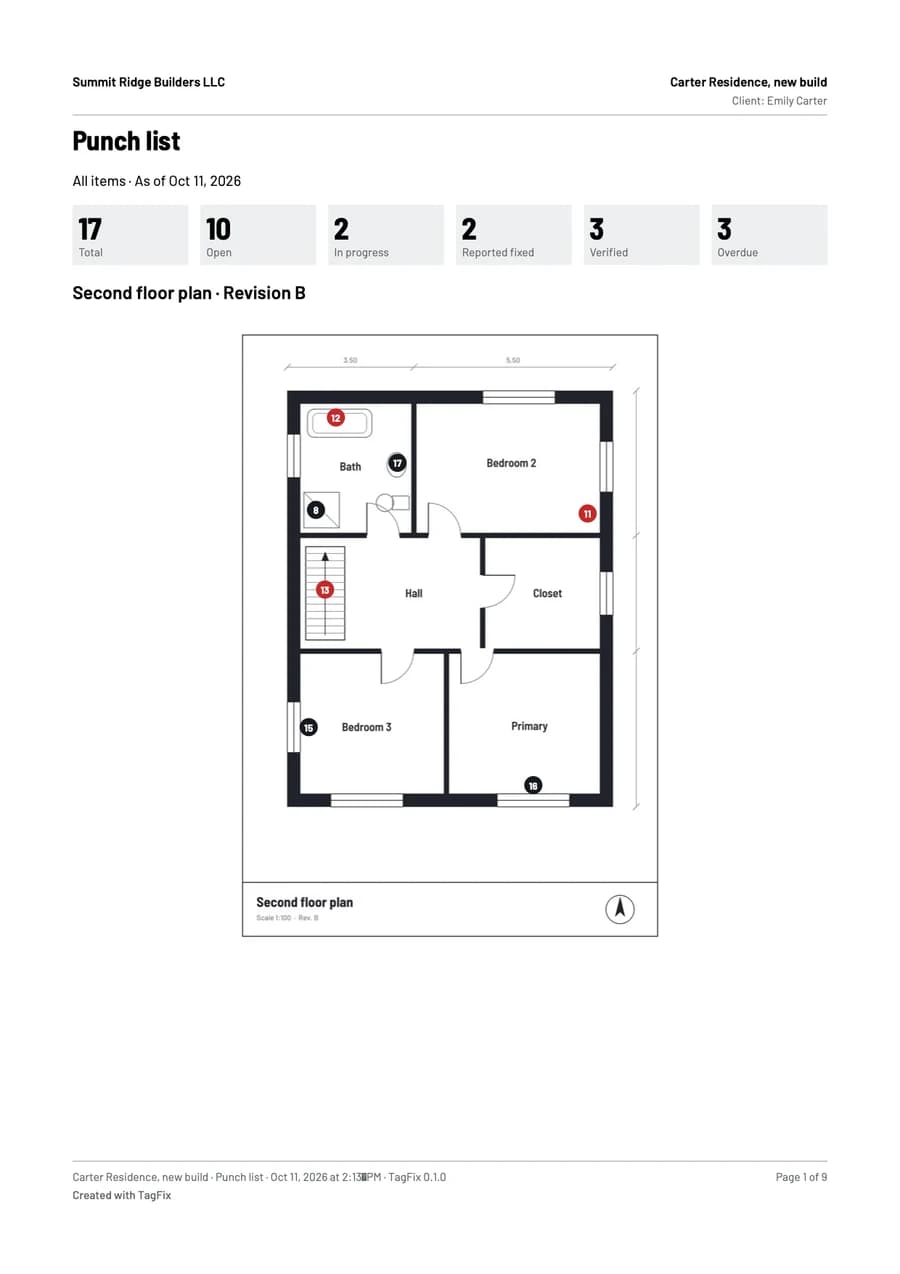
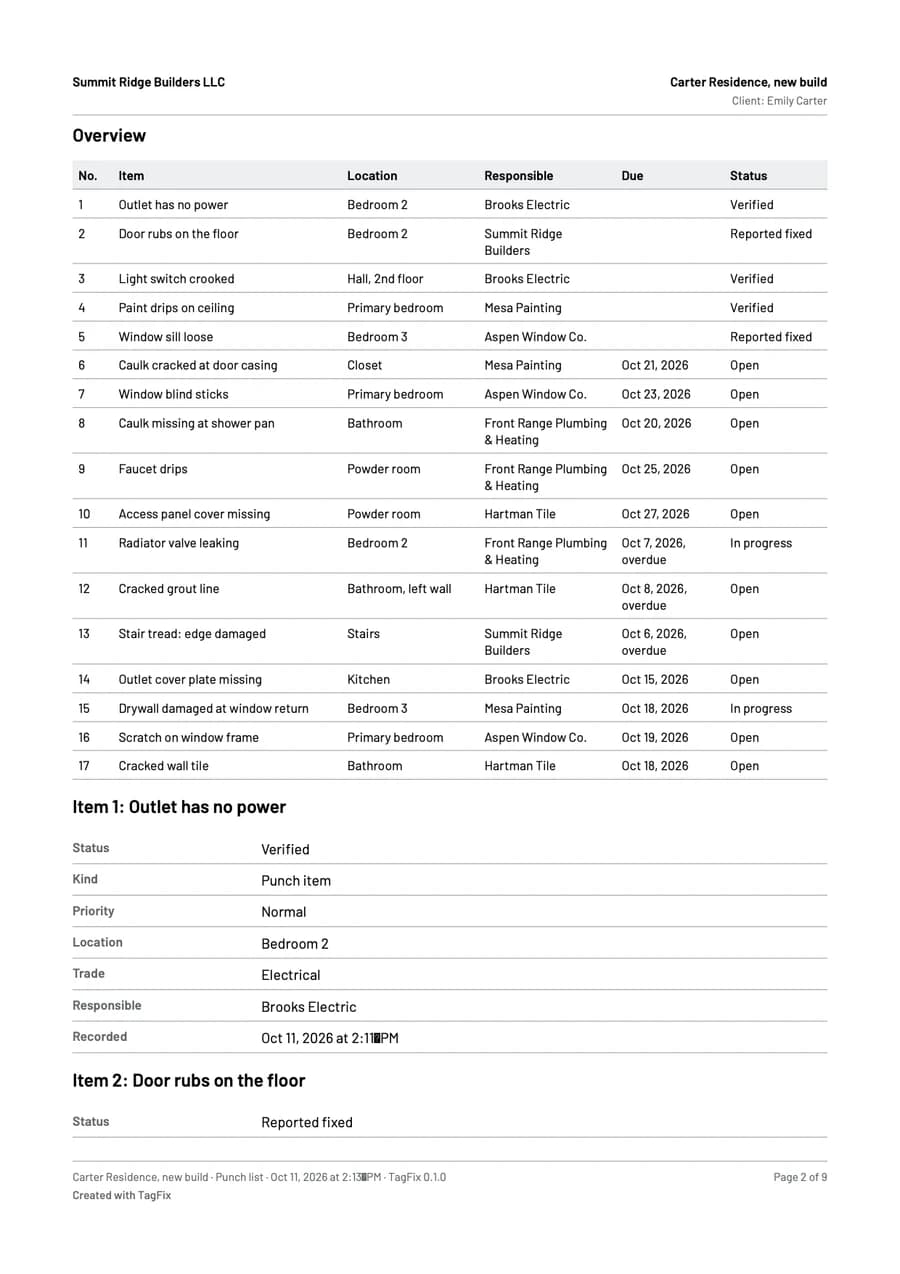
A few taps turn your records into a clean PDF, with your photos and your plan.
- Punch list report: all items, per company, only open or only overdue
- Site diary: a single day or a date range, with or without photos
- Handover protocol with the signatures and the defects as an appendix
- Creating and sharing reports is free in every plan


Frequently asked questions
Do the photos end up in my phone’s gallery?
No. Photos you take in TagFix are stored only inside the app.
How large do the reports get?
You choose between a size for email and a size for print. The preview shows the page count and the file size before you share, and for a report that is too large for email the app suggests splitting it.
Can I put my company logo on the reports?
Yes, with the Project Pass or Pro. Reports of the free plan carry a “Created with TagFix” line instead.