Skip to content
TagFix

Snag list

The snag list app for your snagging inspection

Walk the property, photograph each snag and note where it is. TagFix builds the snagging list as you go and turns it into a PDF for the builder.

  • For iPhone and iPadApp StoreComing soon
  • For AndroidGoogle PlayComing soon
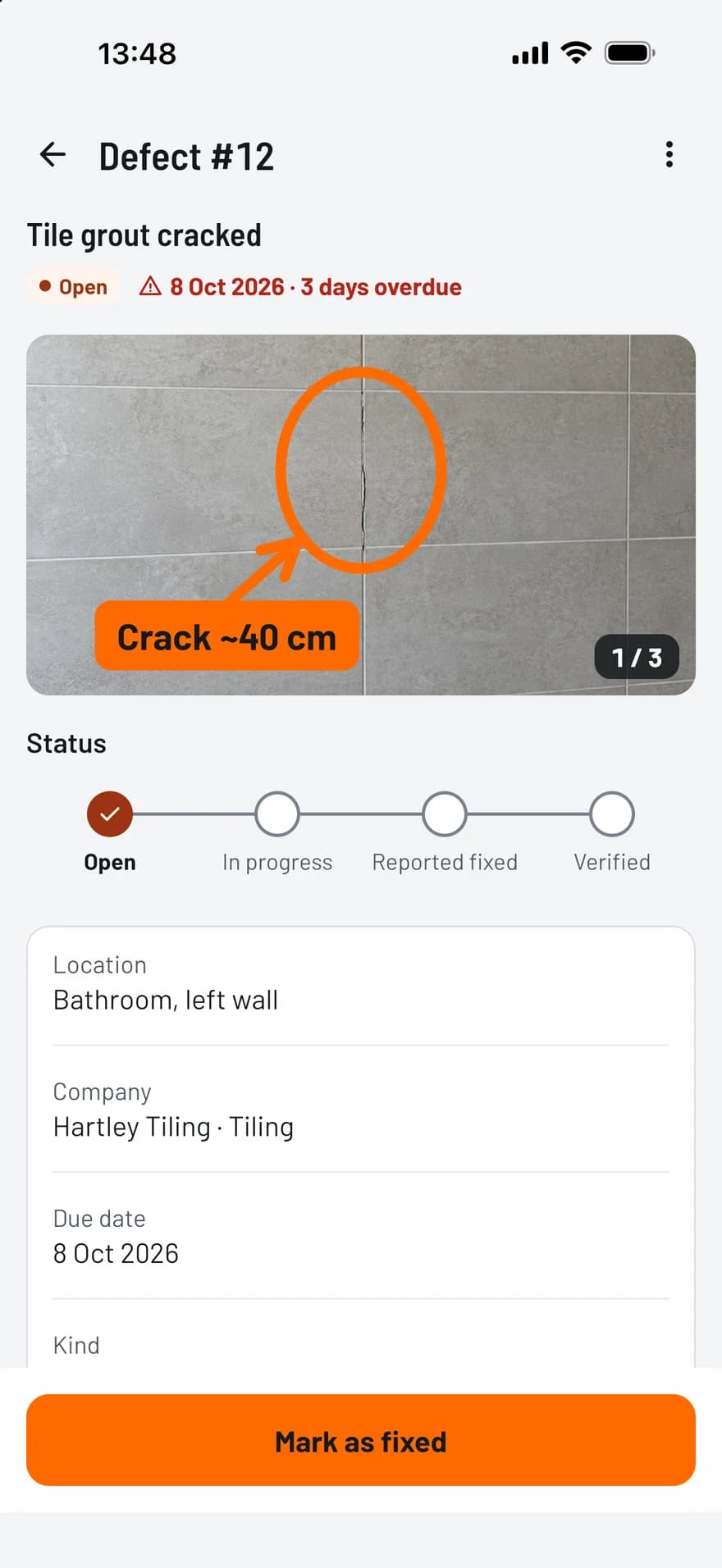
TagFix screen of a snag with a marked-up photo, its status, company and due date

From the first snag to signed off

  • A snag in a few taps

    The capture button opens the camera. Add a title, the room and who should fix it.

  • Marked-up photos

    Circle the scratch, point an arrow at the gap and add a short label, so nobody has to guess.

  • Status at a glance

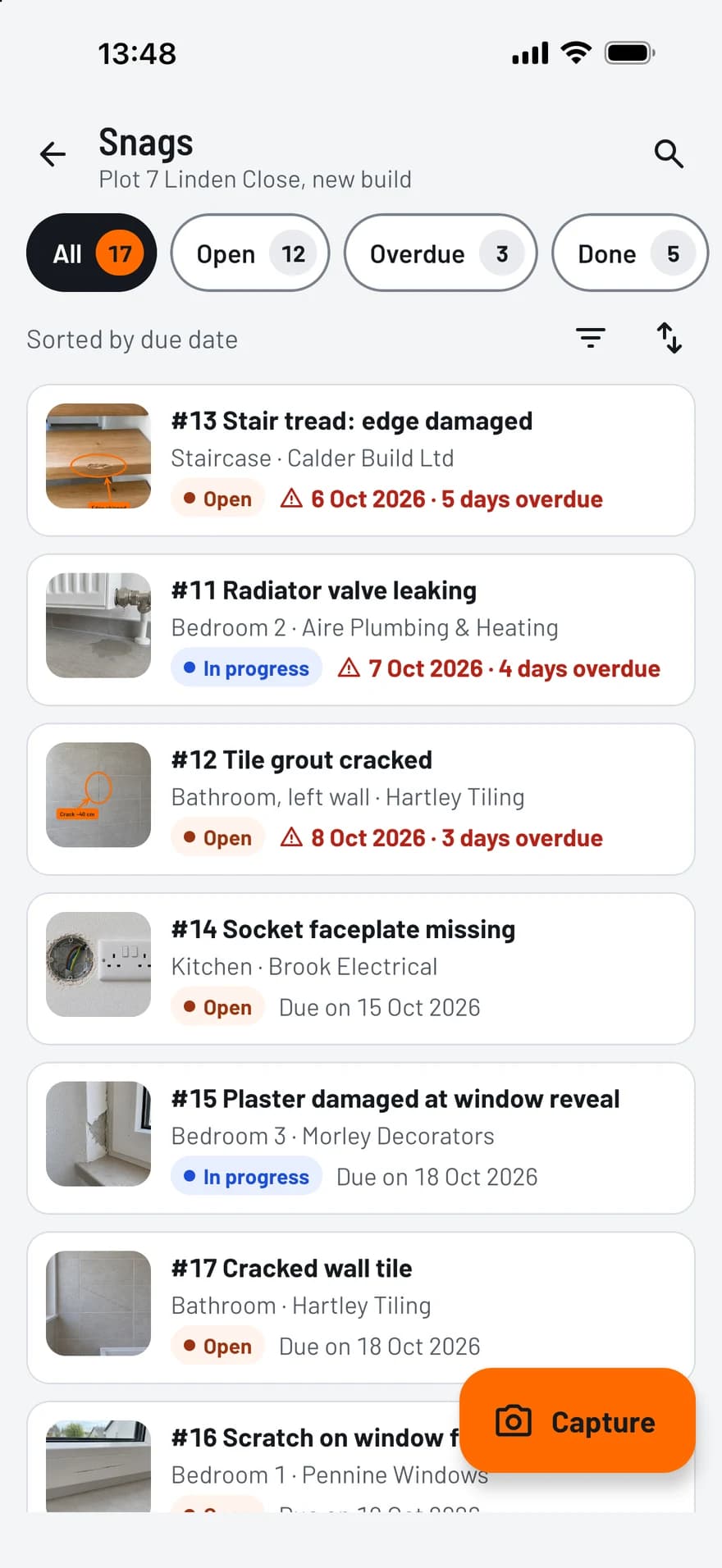
    Open, in progress, reported fixed, verified. Overdue snags are flagged in the list.

  • Pinned on the floor plan

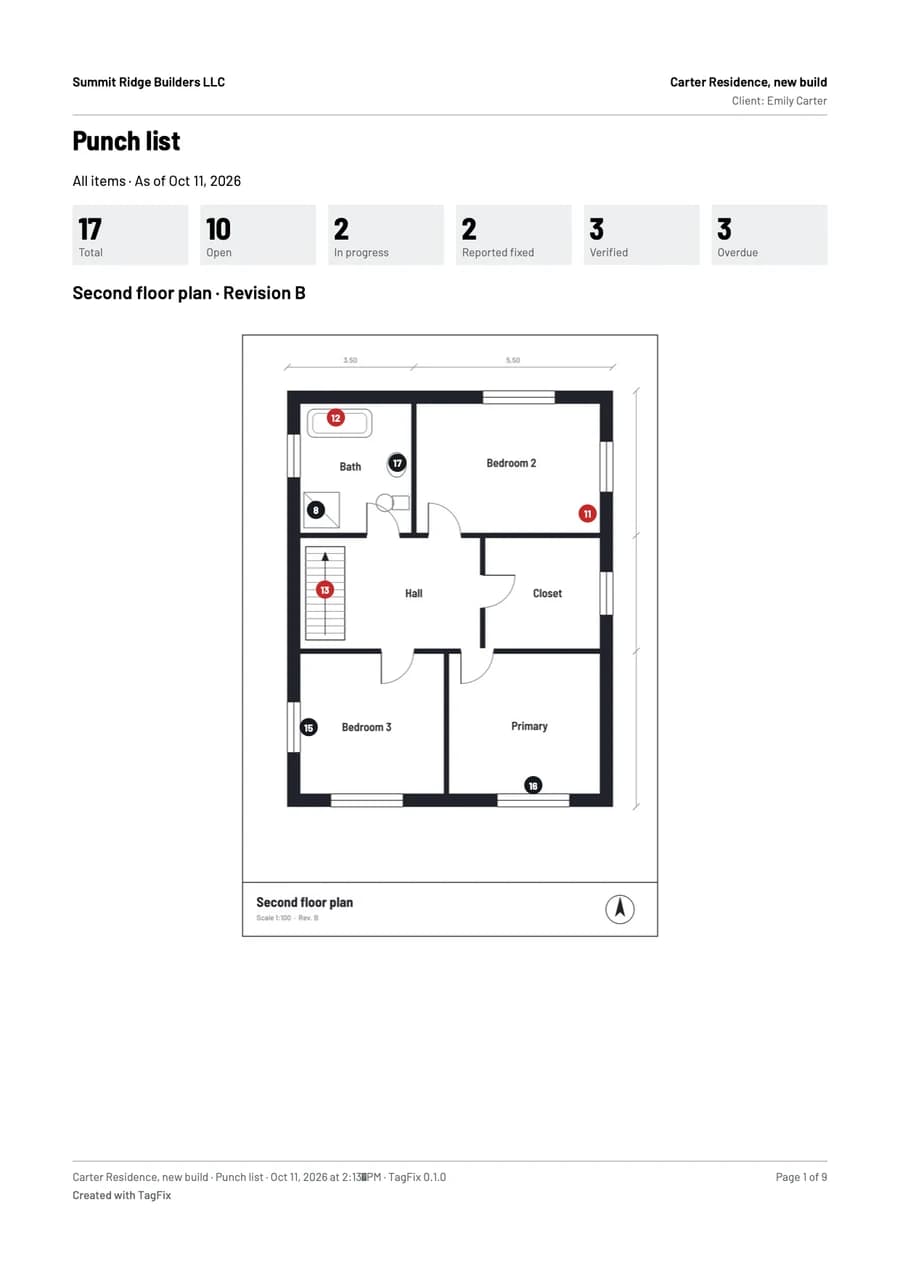
    Import the plan as a PDF or an image and drop a numbered pin for every snag.

What goes on a snagging list

A useful snag list tells the builder what is wrong, where it is and by when it should be fixed.

  • A clear title and a description of the fault
  • Location: plot or block, floor and room
  • One or more photos with markup
  • The trade or company responsible
  • A due date and a priority
  • The status, with the date of every change
TagFix snag list with photo thumbnails, status, companies and overdue due dates

How it works

  1. Inspect

    Go room by room and capture each snag with a photo.

  2. Send

    Share the snag list as a PDF, complete or per trade.

  3. Re-inspect

    Check the fixes on your next visit and mark each snag verified.

PDF reports, ready to share

A few taps turn your records into a clean PDF, with your photos and your plan.

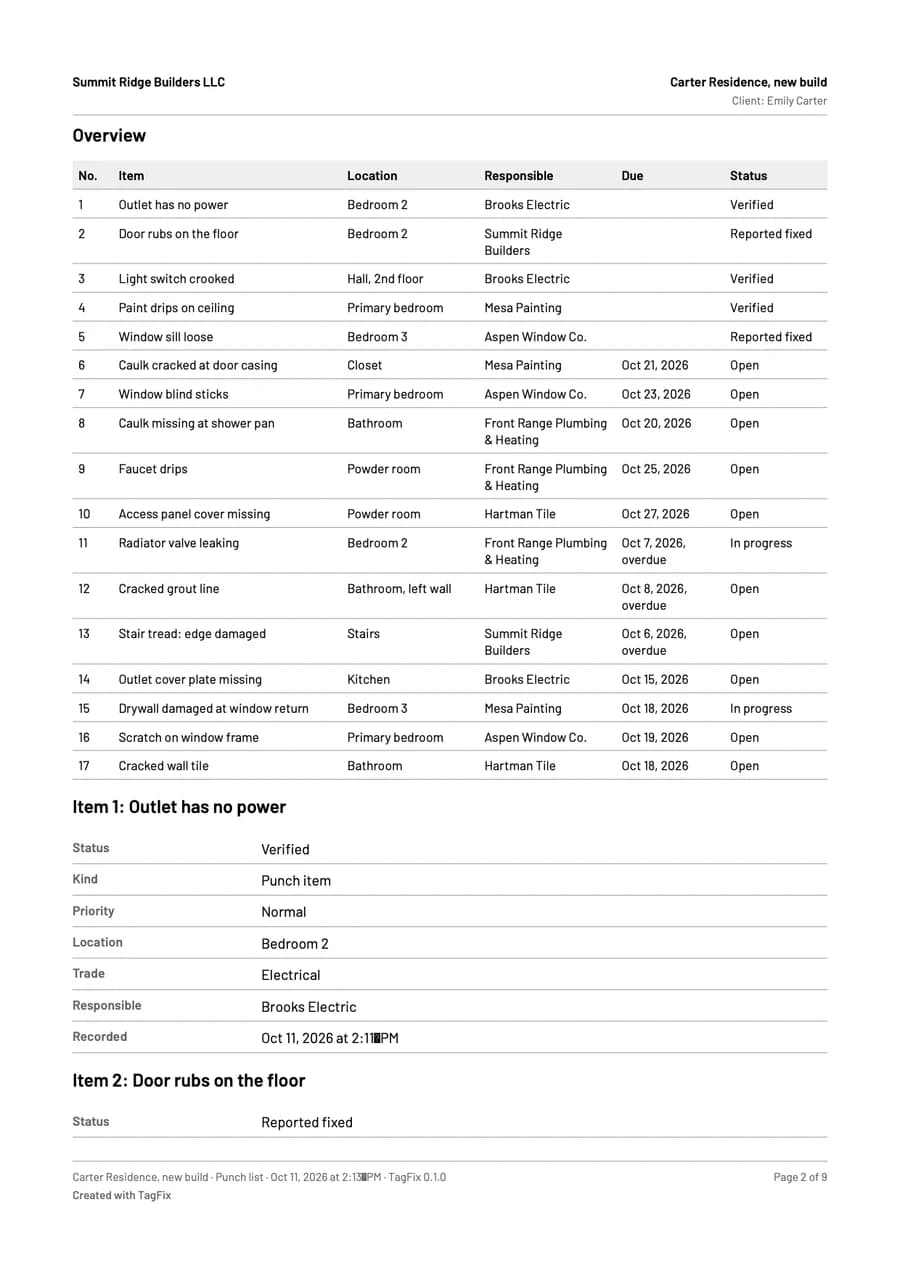
  • Punch list report: all items, per company, only open or only overdue
  • Site diary: a single day or a date range, with or without photos
  • Handover protocol with the signatures and the defects as an appendix
  • Creating and sharing reports is free in every plan
First page of a punch list report from TagFix, with the counts per status and a floor plan with pinsSecond page of the report: a table of all punch items with location, company, due date and status

Frequently asked questions

Can I use TagFix for my new-build home?

Yes. One project with up to 25 snags is free, including the PDF report for your builder.

Does it work without signal?

Yes. You can record snags, mark up photos and create the PDF offline.

Can I send each trade only its own snags?

Yes. The report can list all snags, those of one company, only the open or only the overdue ones.

Try TagFix on your next site visit

Free to start, without an account.