Skip to content
TagFix

Site reports

Site reports with photos that say what is meant

Take a photo, mark the spot and file it under the right project. TagFix turns your photos, plans and notes into PDF reports you can send from the site.

  • For iPhone and iPadApp StoreComing soon
  • For AndroidGoogle PlayComing soon
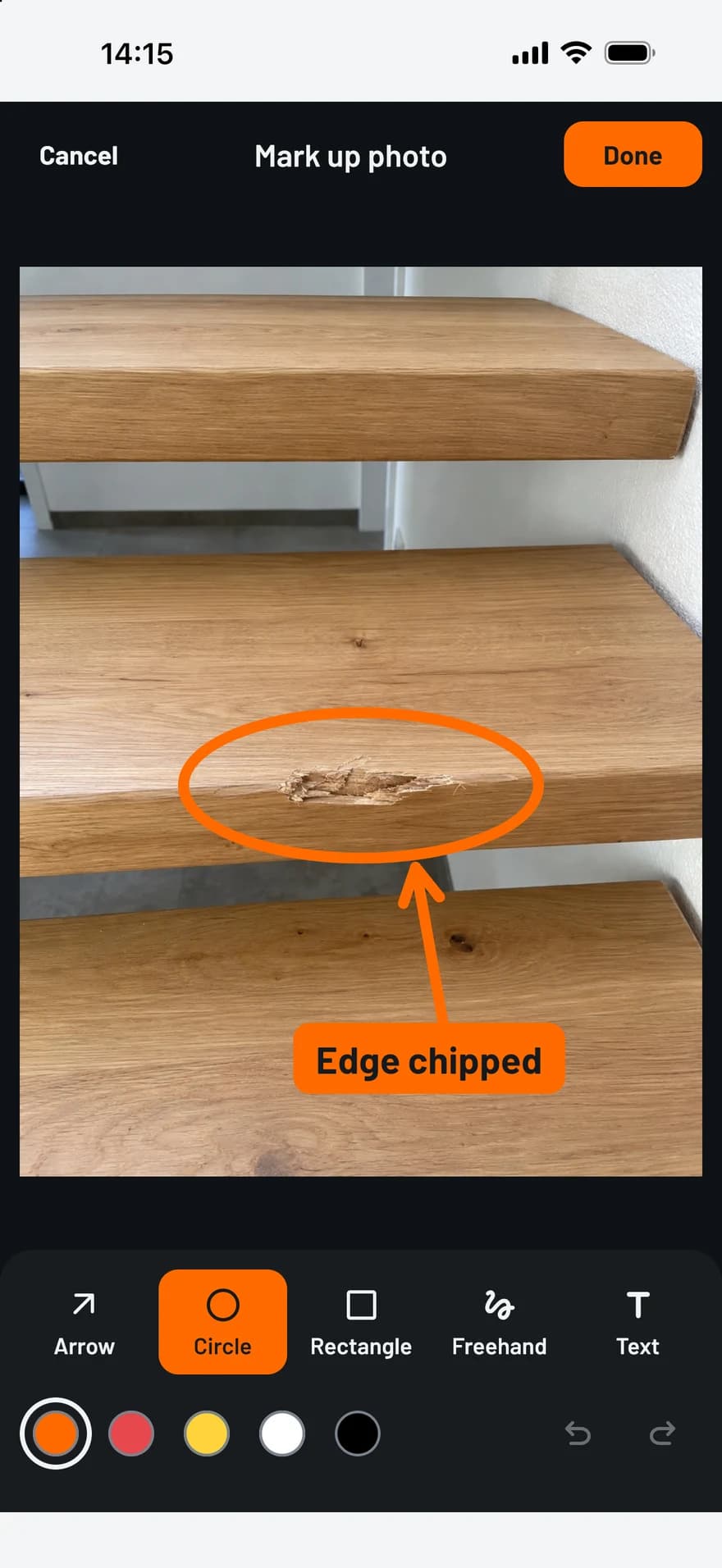
TagFix photo editor: a damaged stair tread marked with a circle, an arrow and a text label

Photos that are worth something later

  • Capture first, sort later

    The capture button is on every screen. After the photo you choose where it belongs: a new defect, today’s diary or the project.

  • Mark up on the phone

    Arrow, circle, rectangle, freehand and text in five colors. The original photo stays untouched.

  • Separate from your gallery

    Site photos stay inside the app and do not mix with your private pictures. From the gallery you import up to 20 photos at once.

  • No location in the file

    The app removes GPS data from every photo. Reports print the capture time instead.

Everything about a site in one project

A project holds what belongs together, and the search finds it again across all projects.

  • Photos with capture time and markup
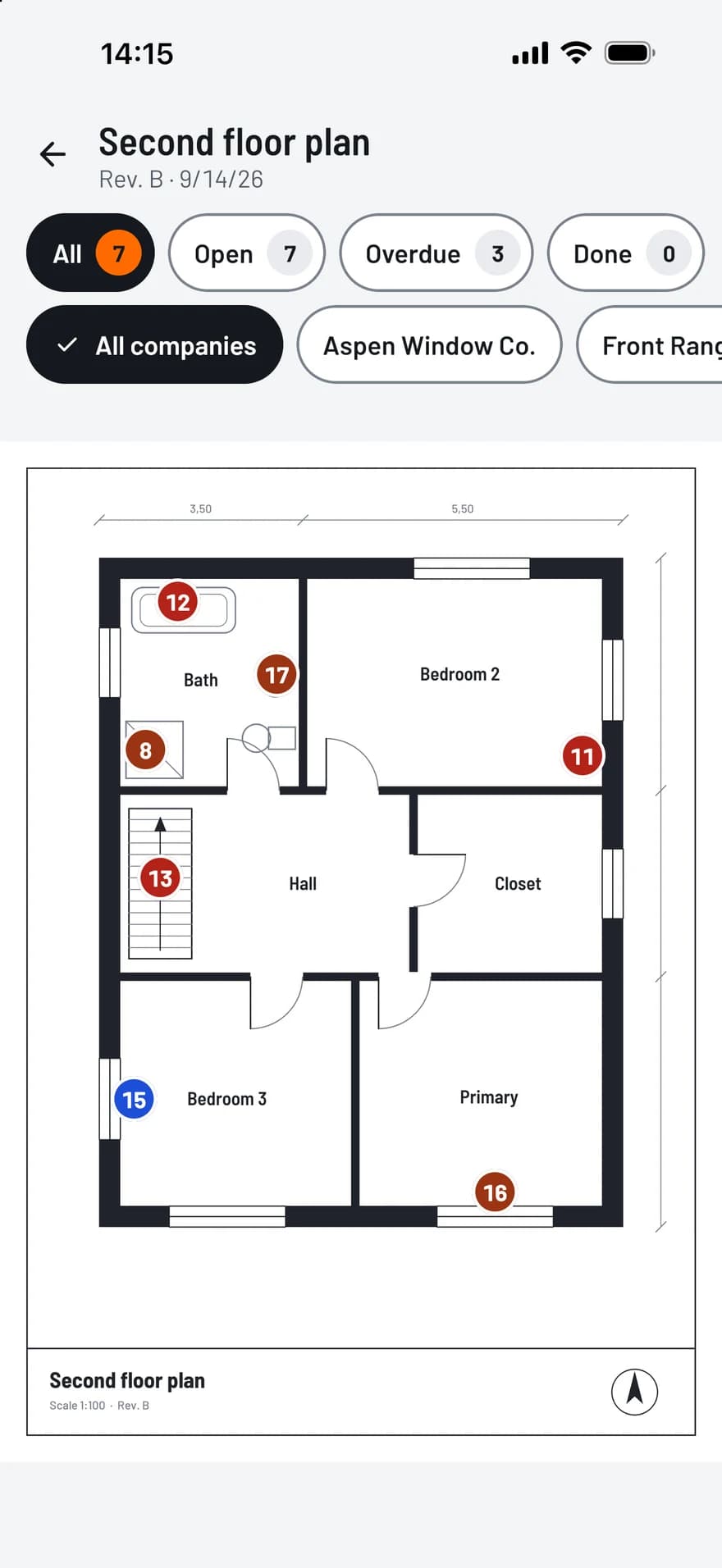
  • Plans as a PDF or an image, with pins
  • Companies with trade, role and contact
  • Defects, daily reports and handover protocols
  • Every PDF report you created
  • A backup as a ZIP file, readable without the app
TagFix plan view: a floor plan with numbered pins in the status colors

How it works

  1. Photograph

    Take the photo with the capture button or import it from the gallery.

  2. Mark and assign

    Mark what matters and assign the photo to a defect, a day or the project.

  3. Report

    Create the PDF in the size for email or for print, and share it.

PDF reports, ready to share

A few taps turn your records into a clean PDF, with your photos and your plan.

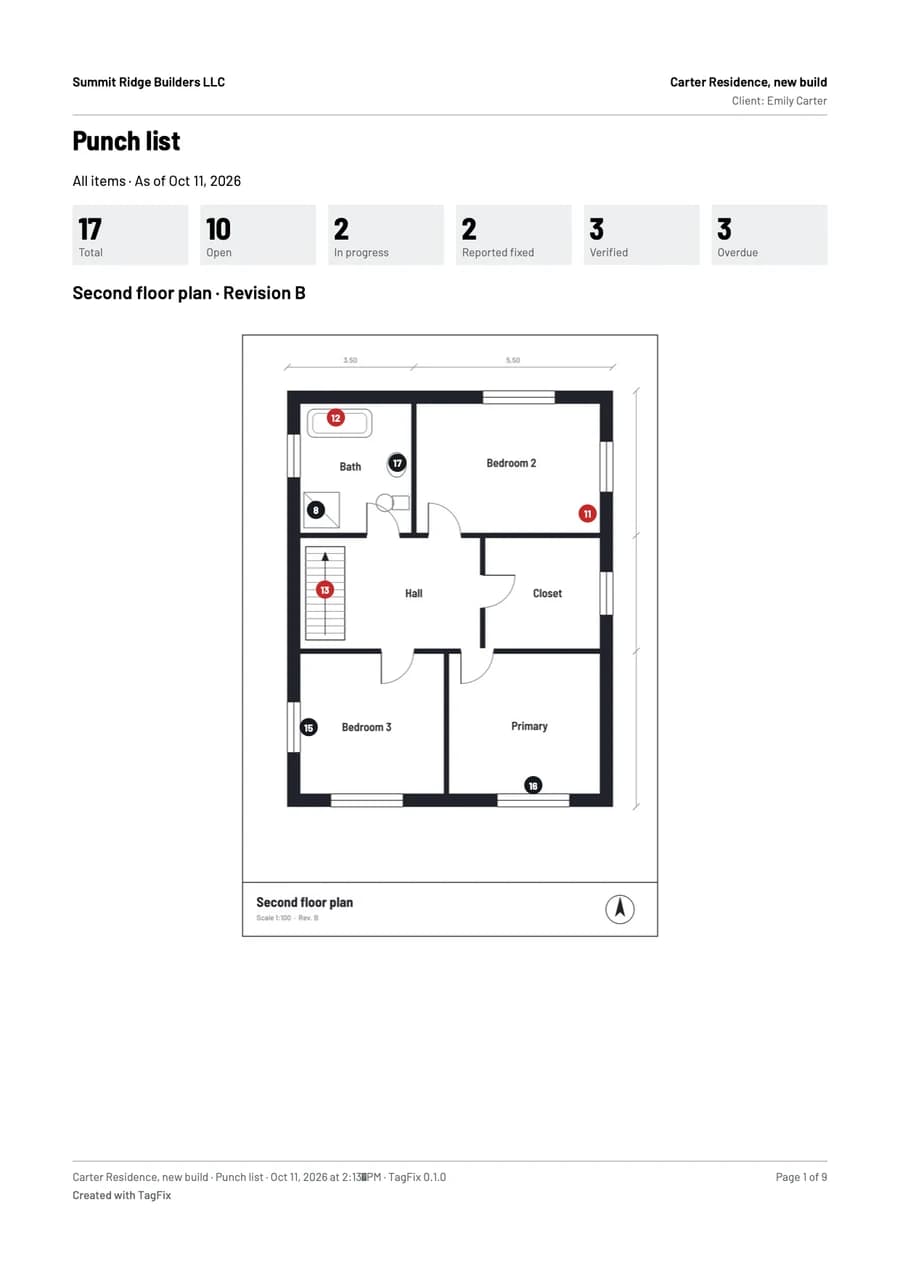
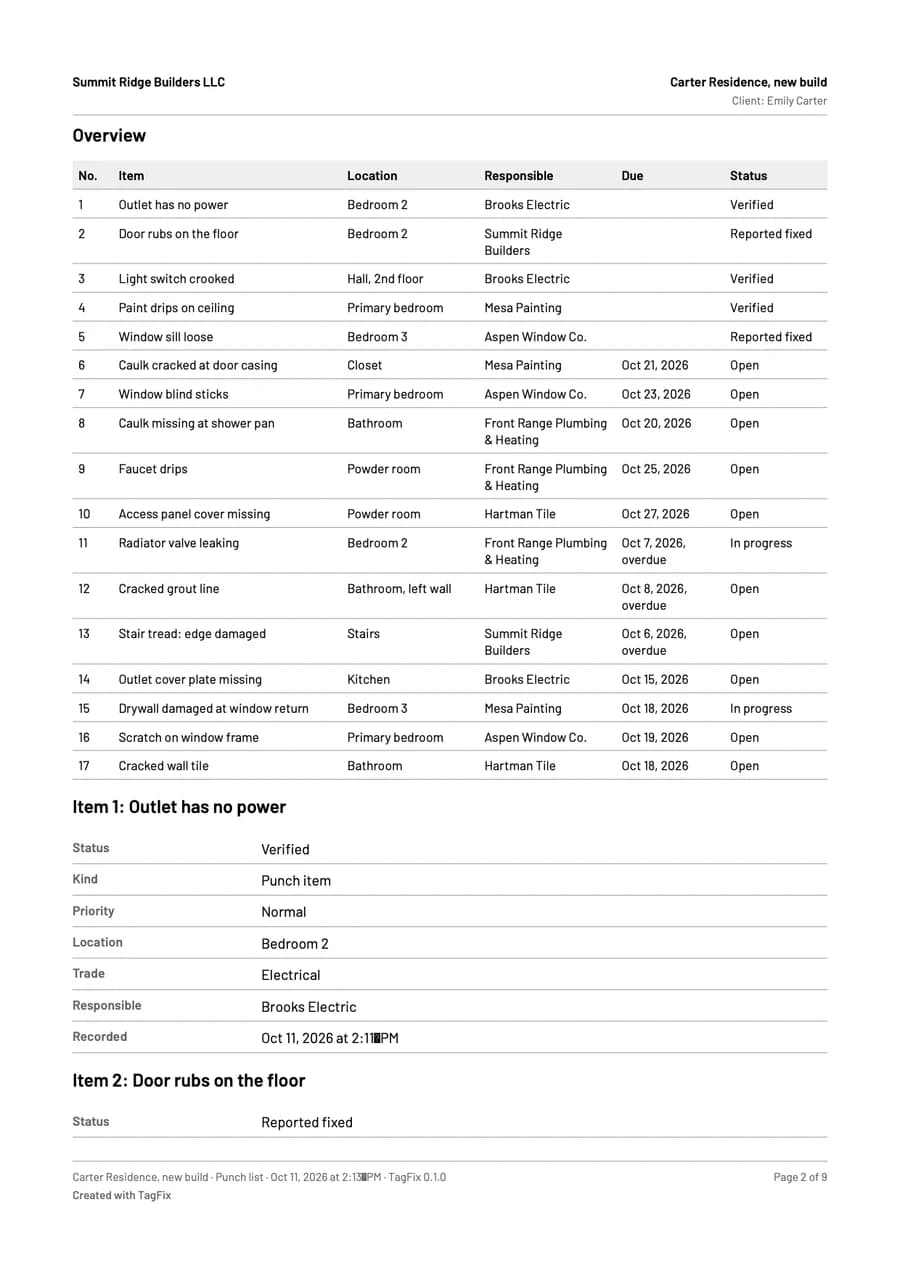
  • Punch list report: all items, per company, only open or only overdue
  • Site diary: a single day or a date range, with or without photos
  • Handover protocol with the signatures and the defects as an appendix
  • Creating and sharing reports is free in every plan
First page of a punch list report from TagFix, with the counts per status and a floor plan with pinsSecond page of the report: a table of all punch items with location, company, due date and status

Frequently asked questions

Do the photos end up in my phone’s gallery?

No. Photos you take in TagFix are stored only inside the app.

How large do the reports get?

You choose between a size for email and a size for print. The preview shows the page count and the file size before you share, and for a report that is too large for email the app suggests splitting it.

Can I put my company logo on the reports?

Yes, with the Project Pass or Pro. Reports of the free plan carry a “Created with TagFix” line instead.

Try TagFix on your next site visit

Free to start, without an account.